Welcome back. You were on step .
-
Step 1: Plug in the charging pad
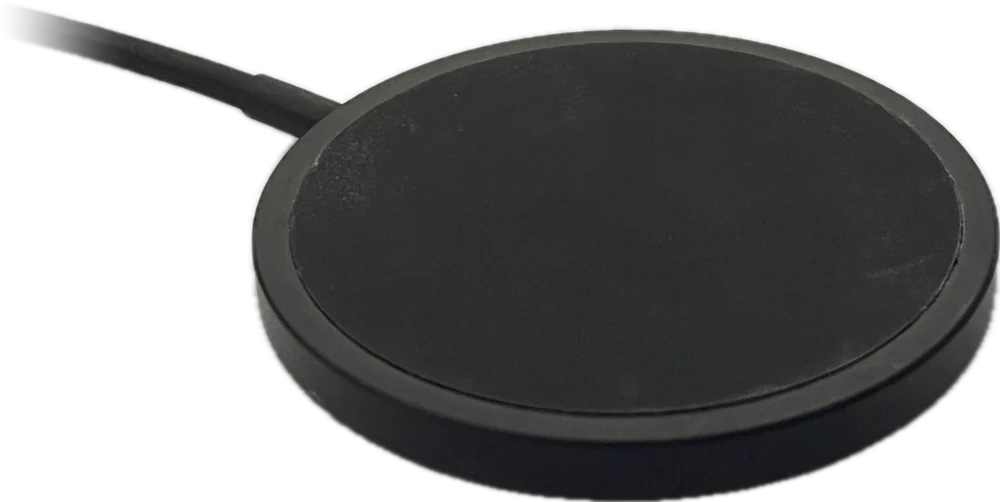
Connect the charging pad’s cable to a USB phone charger, then plug the charger into the wall. Put the pad on a flat surface.
-
Step 2: Place the tracker on the pad
Take the tracker off the collar and set it flat in the middle of the pad, with the Waggi logo facing up. The light on the front comes on to show it’s charging: red if the battery is low, amber if it already has some charge.
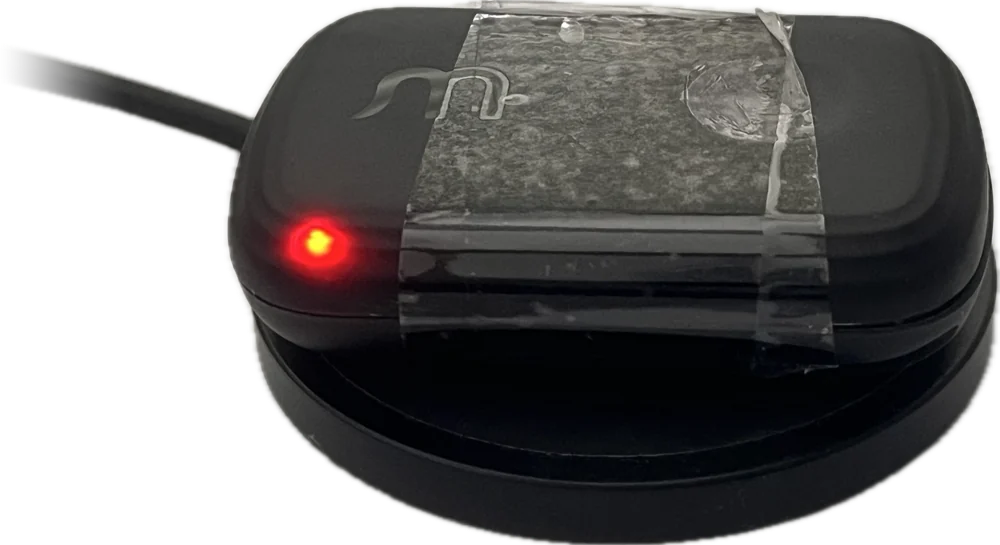
The light didn’t come on?
Give it a few seconds. If it stays dark, move the tracker to the centre of the pad and check the charger is switched on at the wall. If the light still doesn’t come on, follow “The tracker won’t turn on or charge” under Troubleshooting.
-
Step 3: Wait for the light to turn green
Leave it on the pad. If the light is red, it turns amber as it charges, then green when it’s full. Then you can lift it off.
What the light means
-
Battery lowCharging. Leave it on the pad.
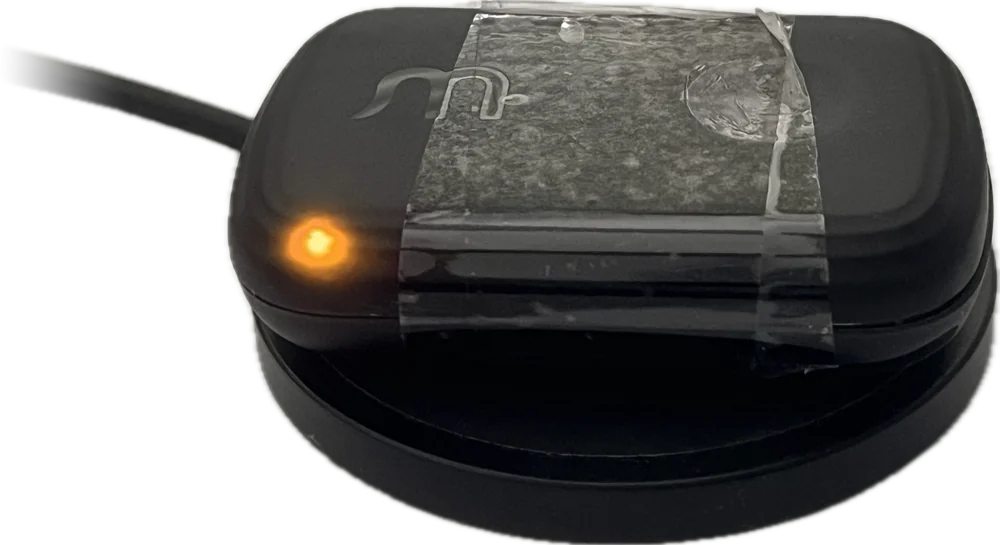 Partly chargedGetting there. Keep it on the pad.
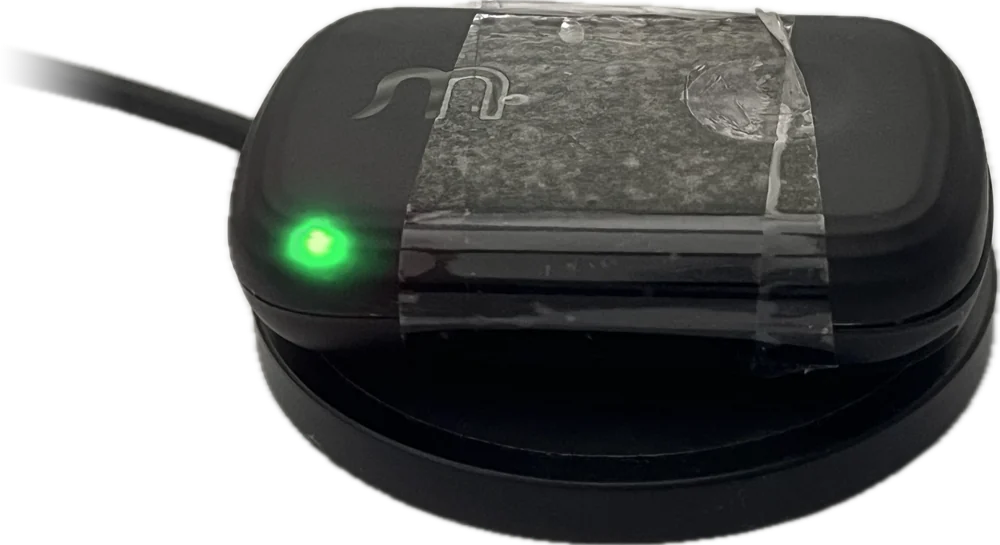 Fully chargedLift it off. You’re done.
It’s been over 3 hours and it hasn’t changed?
Try a different wall charger. If it still won’t finish charging, contact support and we’ll help.
Frequently asked questions
Lights
What does the light mean while charging?
Red means the battery is low, amber means it’s partly charged, and green means it’s fully charged. If the battery isn’t low when you put it on the pad, the light starts at amber.
What if the light doesn’t change?
If it stays red for more than three hours, move the tracker to the centre of the pad and try a different wall charger.
Why is there no light at all?
Check the pad is plugged in and the charger is switched on, then move the tracker to the centre of the pad. If it still won’t light up, see “The tracker won’t turn on or charge” under Troubleshooting.
Timing
How long does a full charge take?
About two hours from empty. You can check the battery level any time from the battery icon at the top right of the Home tab, or in Settings › Tracker Settings.
How long does the battery last?
Several days on a full charge. A busy day out, or a long spell in Live mode, uses more. A quiet day at home uses less.
How often should I charge it?
When the battery icon in the app turns red, at 15% or less. With everyday use, that’s every few days. Battery and charging, under Knowing your tracker, explains what each colour means.
The charging pad
Can I use any USB charger?
Yes. Any standard USB phone charger works.
Can I charge it while it’s on the collar?
Take it off the collar first so it can lie flat on the charging pad.
Can I leave it on the pad overnight?
Yes. It stops charging once full, so leaving it on the pad won’t harm the battery, though that night won’t show your dog’s sleep: time on the pad can show as rest or sleep.