At a glance
Home is the first tab in the app, and the screen you land on once you’ve set up: after the “Congratulations! Welcome to Waggi” message, tap Go to Home. It brings together what most owners check every day: where your dog is, how today’s walks are going, and how they’ve been this week.
Each card is a summary. Tap one to open the tab with the full picture: Location, Walk or Health.
What’s on the Home screen
From top to bottom, three cards about your dog. Tap a card to open its tab.
If you haven’t paired a tracker yet, a Pair your tracker card sits at the top instead, with a Pair Device button, and the health card appears once a tracker is paired.
- Location
- Where your dog is, and how long ago the tracker sent it. Tap to open the Location tab.
- Walks
- Active Days and today’s walks. Tap to open the Walk tab, or tap play to start a walk.
- Health
- This week’s Wellness Score. Tap to open the Health tab.
The location card
The first card shows your dog on a small map, with a line about where they are and how long ago the tracker last sent its location. Tap it to open the Location tab.
What the card says depends on whether your dog is inside one of your virtual fences, and whether the tracker has sent a location yet.
What it can say
- “Bruno is in Home”
- The last location the tracker sent is inside one of your virtual fences, here one called Home (the name the safe zone gets when you set up). It’s the fence’s name, not a sign your dog is indoors. The time shows how long ago that location arrived.
- “Bruno is Outside Home”
- Your dog is outside all your virtual fences, and the card turns red. It names the nearest fence. Tap Live to start Live mode and follow them.
- “Create safe zones for Bruno”
- You don’t have a virtual fence switched on (once the tracker has sent a location). Tap Set up virtual fence to create one.
- “Locating Bruno”
- The tracker hasn’t sent its first location yet, but your phone is connected to it and your phone’s location is on. You can tap Live to find your dog faster.
- “Bruno’s tracker is disconnected”
- The tracker hasn’t sent its first location yet, and your phone can’t reach it over Bluetooth, or your phone’s own location is off. The map shows No updates. Tap Troubleshoot to open Waggi’s help pages.
- “Live mode on”
- Live mode is running, and the card turns red. Tap the card to open Live mode, or tap End Live Location and confirm to stop it.
The walk card
The dark walk card shows how active your dog has been this week, and today’s walks. Tap it to open the Walk tab, or tap the play button to start a walk straight from Home.
On the card
- Active Days
- How many days this week, Monday to Sunday, you’ve saved a walk, out of 7. Each bar is a day, lit up when there was a walk.
- Today’s walk statistics
- Today’s saved walks added up: time, distance, steps and calories.
- Start your walk
- Shown instead when you haven’t walked today, with a nudge if you missed yesterday too.
- Play, pause and stop
- Play starts a walk right there. While it runs, the card shows Walk in progress (or Walk is paused) with the time, distance and steps so far, and buttons to pause or stop. Stopping asks you to confirm, then shows the walk’s summary to save.
The health card
The health card shows your dog’s Wellness Score for this week, from the tracker’s all-day readings. Tap it to open the Health tab for activity and sleep in detail. It appears once a tracker is paired.
On the card
- Wellness Score (Weekly)
- A score out of 100 for this week, Monday to Sunday, shown in the ring.
- How they’re doing
- A line under the score: doing Great, doing Ok, or not doing too well.
- Activity and Sleep
- How long your dog was active and asleep this week, in hours and minutes.
- “3 of 7 days recorded”
- There isn’t enough data for a score yet, so the ring shows a dash. Keep the tracker on your dog through the week and the score appears.
Different situations
- You’ve just finished setting up
- “Congratulations! Welcome to Waggi” appears, whether you saved a safe zone or skipped it. Tap Go to Home.
- You haven’t paired a tracker yet
- A Pair your tracker card sits at the top. Tap Pair Device to connect one. The health card appears once it’s paired.
- You’ve just paired the tracker
- The location card says Locating until the first location arrives. Take the tracker outside, or tap Live to find it faster.
- The card says the tracker is disconnected
- No location has arrived yet and your phone can’t reach the tracker. Check it’s charged and close to your phone, and that Bluetooth and your phone’s location are on.
- Your dog is inside a fence
- The card has no Live button: Live mode is off while they’re somewhere you’ve marked as safe. Tap the card to see them on the Location tab.
- Your dog leaves your fences
- The location card turns red and says your dog is outside. Tap Live to follow them.
- Tapping Live says Live Location Unavailable
- The tracker hasn’t noticed your dog moving, so Live mode waits until it does. The card still shows their last location.
- You’ve switched all your fences off
- The location card asks you to create safe zones, as it does when you have no fences.
- A walk is running
- The walk card shows Walk in progress. Tap the card to open the walk, or pause and stop it right there. Live mode can’t start until the walk ends.
- Your phone isn’t connected to the tracker when you tap play
- The app warns that steps can’t be recorded without the tracker. Tap Start walk to go anyway.
- Tapping play asks for location access
- Allow location all the time and turn your phone’s location on. The walk needs it for the route.
- You haven’t walked today
- The walk card shows Start your walk instead of today’s totals.
- Your dog is new to the tracker
- The health card shows how many days are recorded so far, and the score appears once there’s enough.
Frequently asked questions
Reading the Home screen
What does the location card on the Home screen show?
Where your dog is on a small map, a line saying whether they’re inside one of your virtual fences, and how long ago the tracker last sent their location. Tap it to open the Location tab.
What does the time on the location card mean?
How long ago the tracker last sent your dog’s location, for example “12 minutes ago”. It counts up while you watch. If your dog is resting, updates are further apart, so the time grows.
Why does the location card say my dog is “in Home”?
The last location the tracker sent is inside one of your virtual fences, and Home is that fence’s name: it’s what the safe zone is called when you set up. If you named a fence “Garden”, the card says your dog is in Garden.
What do the Active Days bars show?
The seven days of this week, Monday to Sunday. A bar lights up on each day you saved a walk, and the number next to them counts those days out of 7.
Can I start a walk from the Home screen?
Yes. Tap the play button on the walk card. While the walk runs, you can pause or stop it from the same card, or tap the card to open the walk’s map. When you stop, check the summary and tap Save walk.
What is the Wellness Score?
A score out of 100 for your dog’s week, from the activity and sleep the tracker records all day. The Health tab shows the detail behind it.
What is the “Welcome to Waggi” message?
It appears once, when you finish setting up: “Congratulations! Welcome to Waggi”. Tap Go to Home to start using the app.
When something looks wrong
Why does it say “Locating” my dog?
The tracker hasn’t sent its first location yet. This is normal just after pairing. Take the tracker outside to help it find its position, or tap Live to find your dog faster.
Why is there no health card on my Home screen?
The health card appears once a tracker is paired. Until then, the Pair your tracker card at the top lets you connect one.
Why is the Wellness Score a dash?
There isn’t enough data for this week yet. The card shows how many days are recorded so far. Keep the tracker on your dog through the week and the score appears.
Why can’t I see today’s walk?
The walk card adds up walks once they’re saved. If you stopped a walk but didn’t tap Save walk, it isn’t counted. A walk that covered no distance isn’t kept.
Keep exploring
Related Topics
-
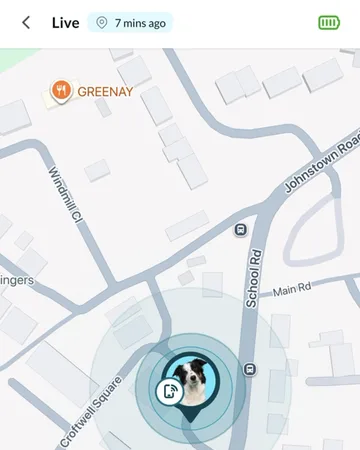 LocationWhere your dog is, how the tracker finds them, and what the map shows.
-
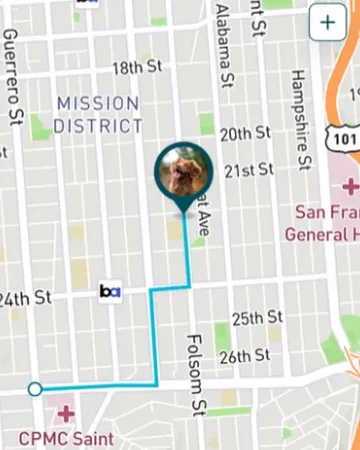 WalksRecord walks and see steps, distance and calories for each one.
-
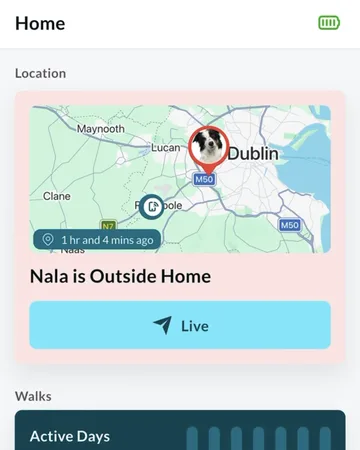 Virtual fencesGet an alert when your dog leaves the places you’ve marked as safe.
-
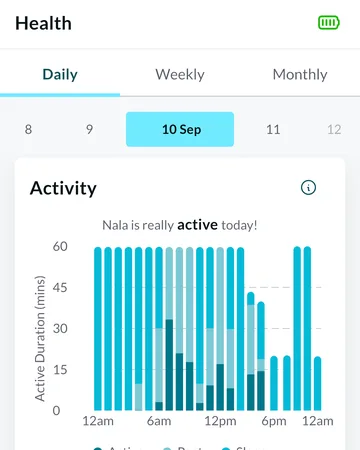 HealthWellness Score, activity and sleep, from the tracker’s all-day readings.