At a glance
Your Waggi account holds your name, email and phone number. To see them, open the Profile tab, tap the gear at the top right, then tap Manage Account.
Your dog’s details aren’t part of it: they’re on the Profile tab (see Pet profile). Signing out is at the bottom of Settings, and your dog, tracker and walks are waiting when you sign in again.
The Manage Account screen
Open the Profile tab, tap the gear at the top right, then tap Manage Account. From top to bottom, it shows:
- Your name and how you sign in
- Under your name it says how you sign in: Email, Google, Apple or Facebook.
- Name
- Tap the pencil, change your first or last name (at least 2 characters each), then tap Update Name.
- Email Address
- Tap the pencil to change it. You’ll need a code that Waggi emails to the new address (see below).
- Phone number
- Tap + to add one, or the pencil to change it. Choose the country, enter the number and tap Save. It’s optional, and no code is needed.
- Delete Account
- At the bottom. The guide “Delete your account” shows each step and what happens first.
Change your email
You can change your email if you sign in with your email. Waggi checks the new address with a code first.
- Tap the pencil next to Email Address
- It’s on Manage Account.
- Enter your new email
- Type it, then tap Send Verification Code. Waggi emails a 4-digit code to the new address.
- Enter the code
- Type it on the Code verification screen. No email? Tap Resend OTP once it’s ready, after 15 seconds.
- Tap Verify and Save
- You’ll see “Email has been updated”. From now on, sign in with your new email.
Signing out
To sign out, go to Settings, tap Logout at the bottom, then tap Logout again to confirm. It only signs out the phone you’re holding.
What signing out does
- Alerts stop on that phone
- That phone stops getting your dog’s alerts. Any other phone that’s still signed in keeps getting them.
- The app lets go of the tracker
- It disconnects from the tracker, so another phone can connect. The tracker keeps working on your dog.
- That phone forgets its settings
- Things kept on the phone, like your home Wi-Fi, are cleared from it. They come back when you sign in again.
- Your account is kept
- Your dog, tracker, walks and fences stay on your account. Sign in again with the same email, Google, Apple or Facebook account to get them back.
- Sign out while online
- Your phone needs the internet to tell Waggi to stop sending it alerts.
Different situations
- You sign in with Google, Apple or Facebook
- Your name and email come from that account, so their pencils are greyed out. Change them in that account instead. You can still add or change your phone number.
- You’re moving to a new phone
- Sign in on the new phone with the same account, then sign out on the old one. “Pair again after changing phones” shows each step.
- Your old phone is lost or stolen
- There’s no way to sign it out from another phone yet. Contact us through Getting help.
- You want to delete your account
- Go to Manage Account and tap Delete Account at the bottom. Read “Delete your account” first: it can’t be undone.
- You want to share with family
- Friends and Family in Settings says “Coming soon!” for now.
Try it out
- Delete your accountClose your Waggi account from Settings, and what happens to your dog’s details and tracker.
- Pair again after changing phonesSign in on your new phone with the same account: your dog, tracker and walks come back, with nothing to pair.
- Fix sign in problemsCode not arriving, wrong code, signed out, or an empty account? Check how you signed in first.
Frequently asked questions
Your name and phone number
Where are my account settings?
Open the Profile tab and tap the gear at the top right to open Settings, then tap Manage Account. Your name, email and phone number are there, with Delete Account at the bottom. Logout is at the bottom of Settings.
How do I change my name?
Open the Profile tab, tap the gear at the top right, then Manage Account. Tap the pencil next to Name, change your first or last name and tap Update Name. Each needs at least 2 characters.
How do I add or change my phone number?
Open the Profile tab, tap the gear at the top right, then Manage Account. Tap + next to Phone number (or the pencil if you’ve added one), choose your country, enter the number and tap Save. No code is needed.
Why can’t I change my name or email?
You sign in with Google, Apple or Facebook, so they come from that account. See “I can’t change my name or email: the pencil is greyed out.”, under Troubleshooting.
Can I remove my phone number?
Not yet. Once added, you can change it but not remove it. Waggi doesn’t send texts or alerts to it.
Where do I change my dog’s name or details?
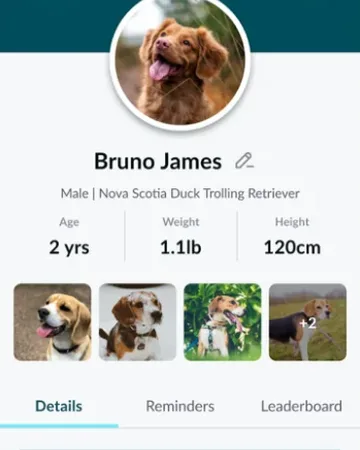
Your dog’s details are on the Profile tab, not in Manage Account. Tap the pencil next to their name there. See Pet profile.
Your email
How do I change my email address?
Open the Profile tab, tap the gear, then Manage Account. Tap the pencil next to Email Address, enter your new email and tap Send Verification Code. Enter the 4-digit code Waggi emails to the new address, then tap Verify and Save. From then on, sign in with your new email.
I didn’t get the verification code. What should I do?
Check the new email is typed correctly and look in your junk or spam folder. For the rest, see “My sign-in or verification code didn’t arrive.”, under Troubleshooting.
It says the email is already registered.
Another Waggi account uses that email, so you can’t move yours to it. Use a different email, or sign in to the other account with that email.
Signing out
How do I sign out?
Open the Profile tab and tap the gear at the top right to open Settings. Tap Logout at the bottom, then Logout again to confirm.
Will I lose anything if I sign out?
No. Your dog, tracker, walks and fences stay on your account. Sign in again the same way, with your email, Google, Apple or Facebook, to get them back. Things kept on the phone, like your home Wi-Fi, come back too.
Does signing out stop alerts?
On that phone, yes, as long as it’s online when you sign out. Any other phone signed in to your account keeps getting alerts, and the tracker keeps working on your dog.
Can I sign out on all my phones at once?
Not yet. Sign out on each phone. If a phone is lost or stolen, contact us through Getting help.
Deleting your account
How do I delete my account?
Go to Manage Account and tap Delete Account at the bottom. The guide “Delete your account” shows each step and what’s deleted. It can’t be undone.