At a glance
A virtual fence is a circle you draw on the map around a place your dog should be, like home or a friend’s garden. Each time the tracker sends its location, Waggi checks it against your fences.
If your dog goes outside, every phone signed in to your account gets an alert, and another when they come back. It’s a way to know they’ve slipped out without watching the map all day.
How a fence works
A fence is a circle, reaching 50 m to 1 km from its centre. You can have as many as you like, and switch each one on or off.
If you have several fences, your dog counts as out only when they’re outside all of them. So overlapping fences can cover a larger area, and you’re alerted only once your dog is outside every one.
Fences are checked whenever the tracker sends a location. It checks in sooner when your dog is on the move, so an escape is usually picked up quickly. The alert waits for a precise location, and while your dog is resting the tracker checks in less often, so it can take longer.
Setting up a fence
Go to Settings, then Virtual Fence, or tap Virtual fence on the Location tab. The fence starts where your phone is, and you drag the map to move it.
On the screen
- Centre pin
- The middle of the fence. Drag the map to move it, or tap the search icon to find an address.
- Icon
- Home, office, fence, bone or paw, so you can tell your fences apart.
- Fence Name
- What the fence is called in your list and alerts.
- Radius
- The slider that sets how far the fence reaches from its centre, from 50 m to 1 km.
- Activate virtual fence
- Turns the fence’s alerts on or off without deleting it.
Alerts
When your dog leaves your fences, you get a notification: “Your pet’s outside the virtual fence. Please check and ensure your pet is safe.” Tap it to open the Location tab.
You get another when they’re back inside. Alerts go to every phone signed in to your Waggi account.
For alerts to arrive
- Escape Alerts
- Switched on in the app: Settings, then Notifications, under Location.
- Phone notifications
- Allowed for Waggi in your phone’s settings.
- The fence
- Switched on with Activate virtual fence.
- The tracker
- Charged and on your dog.
Fences on the map
On the Location tab, your fences can be shown on the map so you can see where your dog is in relation to them. Turn them on or off with Show virtual fences in map settings.
On the screen
- Fence circles
- Your fences, drawn on the map.
- Your dog’s pin
- Changes colour when your dog is outside your fences.
Different situations
- Your dog is near the edge of a fence
- The location can be off by a few metres, which may set off an alert. Making the fence a little bigger usually stops this.
- You want alerts only at night
- Fences can’t be scheduled yet. Switch a fence off and on with Activate virtual fence.
- You’re taking your dog out
- Expect an alert when you leave and another when you’re back. Turn the fence off first if you’d rather not get them.
- Your dog is inside a fence
- Live mode isn’t available: they’re somewhere you’ve marked as safe.
- Your dog has left a fence
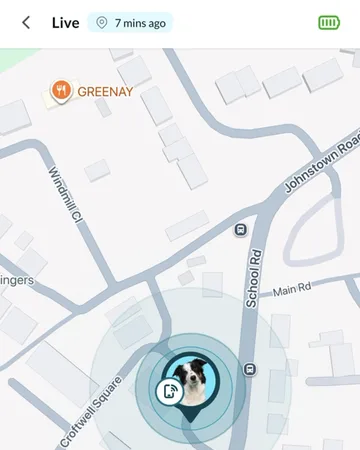
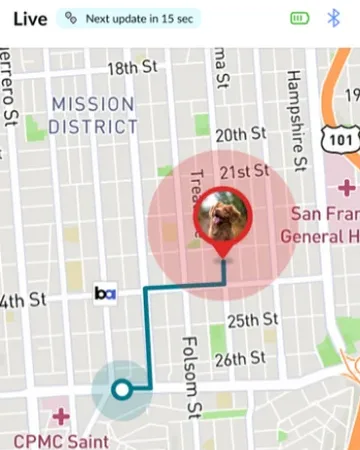
- Tap the alert to open the Location tab, then use Live mode to follow them.
- You’re not getting alerts
- Check Escape Alerts is on, Waggi can send notifications, the fence is switched on and the tracker is charged and has mobile coverage.
- You no longer need a fence
- Delete it from its settings. A deleted fence can’t be recovered.
Try it out
Frequently asked questions
Set up your fences
What shape can a fence be?
A circle, reaching 50 m to 1 km from its centre.
How many fences can I have?
As many as you like.
Can I turn a fence on only at certain times?
Not yet. You can switch a fence off and on again with its Activate virtual fence switch.
Can I see my fences on the map?
Yes. On the Location tab, open map settings and turn on Show virtual fences.
Alerts
When do I get an alert?
When your dog leaves your fences, and again when they come back. If you have several fences, your dog counts as out only when they’re outside all of them.
What does the alert say?
“Your pet’s outside the virtual fence. Please check and ensure your pet is safe.” Tap it to open the Location tab.
How quickly will I be alerted?
As soon as the tracker sends a precise location from outside the fence. It checks in sooner when your dog is on the move. While they’re resting it checks in less often, so it can take longer.
I’m not getting alerts. What should I check?
Check Escape Alerts is on in Settings › Notifications and the fence is switched on. For every other check, follow “Fix alerts that aren’t reaching your phone”, under Troubleshooting.
Why did I get an alert when my dog didn’t leave?
Near the edge of a fence, the location can be off by a few metres. Making the fence a little bigger usually stops this.
Who gets the alerts?
Every phone signed in to your Waggi account.
Why is Live mode off while my dog is at home?
Live mode isn’t available while your dog is inside a virtual fence. It’s there for when they’re out.