At a glance
Your Waggi tracker runs on a rechargeable battery that lasts several days on a full charge. How long depends mostly on how much your dog is out and about, and on Live mode, which uses the most.
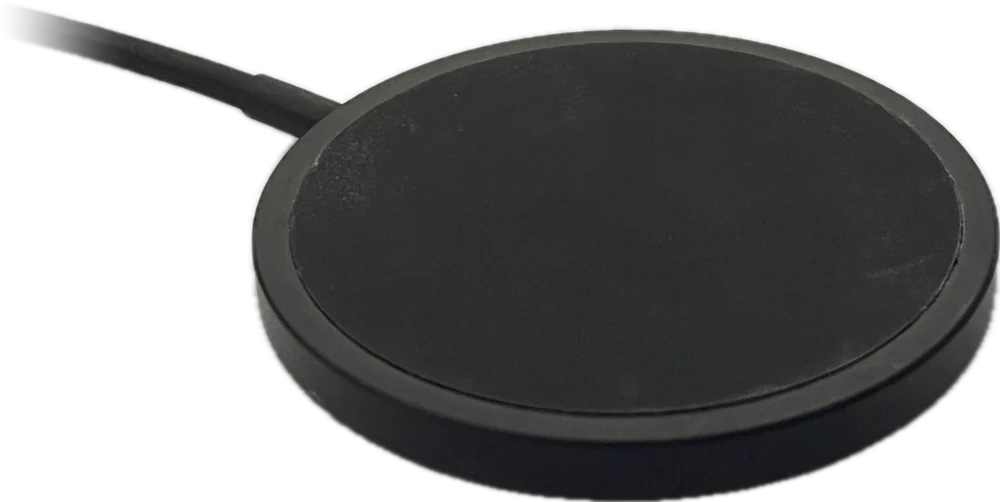
Charge it on its pad, plugged into any USB phone charger. The light on the tracker shows how it’s getting on, and the app shows the battery level and tells you when it’s running low.
How long a charge lasts
A full charge lasts several days with everyday use. The tracker saves power by checking in less often while your dog is resting, and more often when they’re on the move.
Charging every few days, or when the app shows the battery is low, keeps it going.
What makes a difference
- Live mode
- Uses the most battery, because the tracker updates its location about once a minute. Turn it off once you’ve found your dog.
- Time on the move
- A busy day out uses more than a quiet one at home, because the tracker checks in more often while your dog is moving.
- Time at home
- With a virtual fence round home, the tracker can rest its mobile connection while your dog is there.
How to charge
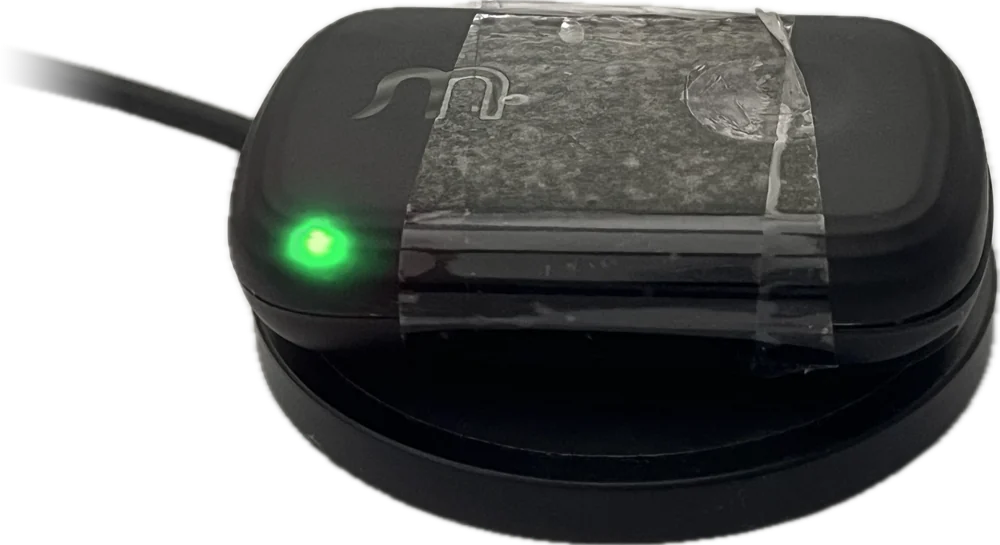
Plug the charging pad into a USB phone charger, take the tracker off the collar and set it flat in the middle of the pad, Waggi logo up. A full charge takes about two hours from empty.
Good to know
- Any USB charger
- Any standard USB phone charger works with the pad.
- Off the collar
- Take the tracker off the collar first, so it can lie flat on the pad.
- Overnight
- Fine. You can leave it on the pad until morning, though that night won’t show your dog’s sleep: time on the pad can show as rest or sleep.
- Still working
- The tracker keeps working while it charges. Just remember it isn’t on your dog.
The charging light
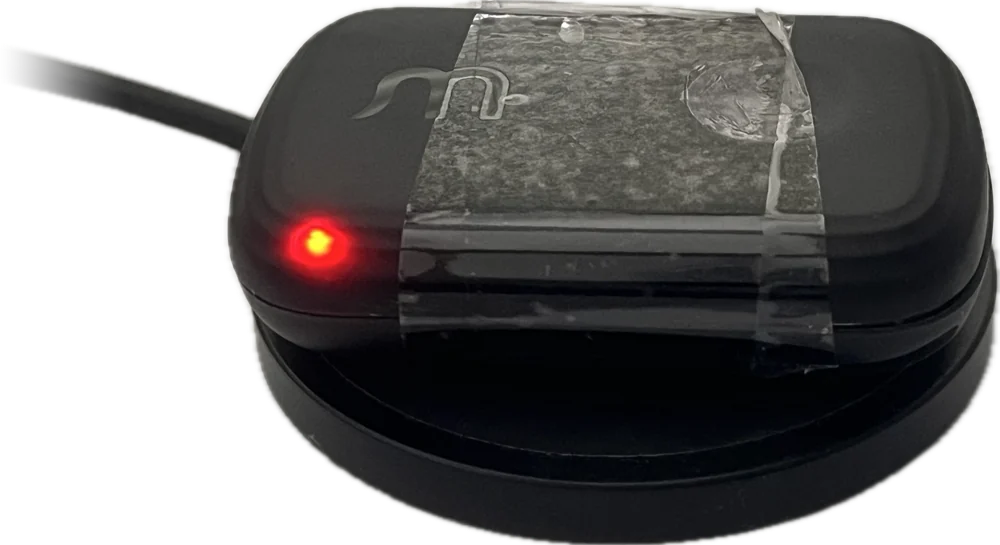
On the pad, the tracker’s light shows how charged it is, and changes as it charges. It only shows while the tracker is charging: take it off the pad and the light goes out.
It starts at the colour for the charge already in the battery, so a tracker with some charge starts amber. These colours are the light’s own, and don’t match the app’s battery icon exactly.
- Red
- Battery low (15% or less). Leave it on the pad.
- Amber
- Partly charged (16% to 97%). Keep it on the pad.
- Green
- Fully charged (98% or more). You can lift it off.
Battery level in the app
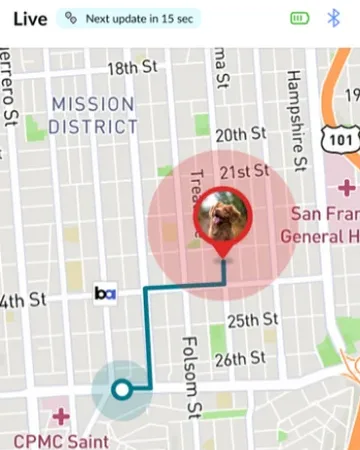
The app shows the battery level in three places, from a quick glance to the full detail. Its colours are the app’s own, separate from the charging light.
- The battery icon
- At the top right of the Home, Location, Walk and Health tabs, and in Live mode.
- Your dog’s profile
- Next to the Tracker ID. Tap it to open Tracker Settings.
- Tracker Settings
- In Settings, under Connection: the battery percentage and when it was last updated. While your phone is connected over Bluetooth and the tracker is on the pad, it also says Charging, or Fully Charged at 100%.
What the icon shows
- Green
- Above 60%.
- Amber
- 16% to 60%.
- Red
- 15% or less. Charge it soon.
- A lightning bolt
- Charging. Shown while your phone is connected to the tracker over Bluetooth.
- Grey, with a question mark
- The app hasn’t had a battery reading for over an hour, and your phone isn’t connected to the tracker, so it can’t be sure of the level.
Low-battery alerts
With Battery alerts on, you get a notification when the battery drops below 15%: “Tracker is almost out of battery. Please recharge as soon as possible.” If it gets close to empty, a second one says “Tracker is out of battery. Please recharge to continue.”
Each alert comes once as the battery runs down, not over and over, and not while the tracker is charging. They go to every phone signed in to your Waggi account.
For alerts to arrive
- Battery
- Switched on in the app: Settings, then Notifications, under Device. Check it’s on.
- Phone notifications
- Allowed for Waggi in your phone’s settings.
- The tracker
- Somewhere with mobile coverage, so it can send its battery level.
Different situations
- The battery is low during Live mode
- Below 15%, the app shows a “Tracker battery is low” notification. Live mode keeps running, but charge the tracker as soon as you can.
- The battery runs out
- The tracker turns itself off to protect the battery, and the map keeps the last location it sent. Put it on the pad to charge it.
- The battery icon shows a question mark
- The app hasn’t heard from the tracker for over an hour. Open the app near the tracker so they connect over Bluetooth, or check it’s charged and has mobile coverage.
- Charging doesn’t show in the app
- Charging and Fully Charged appear when your phone is connected to the tracker over Bluetooth. Otherwise, check the light on the tracker.
- It won’t charge, or the battery runs down fast
- See Troubleshooting, under Battery, lights and resets: “The tracker isn’t charging. What should I do?” and “Why does the battery drain quickly?”.
Try it out
Frequently asked questions
Battery life
How long does the battery last?
Several days on a full charge with everyday use. A busy day out, or a long spell in Live mode, uses more. A quiet day at home uses less.
What uses the most battery?
Live mode, because the tracker updates its location about once a minute while it’s on. After that, time on the move: the tracker checks in more often while your dog is moving than while they’re resting.
Does being at home save battery?
Yes, with a virtual fence round home. While your dog is inside it, the tracker can rest its mobile connection, which saves power.
Charging
How do I charge the tracker?
Plug the charging pad into a USB phone charger, take the tracker off the collar and set it flat in the middle of the pad, Waggi logo up. The light comes on to show it’s charging.
How long does a full charge take?
About two hours from empty. The light on the tracker turns green when it’s fully charged.
What do the charging light’s colours mean?
Red means the battery is low (15% or less), amber means it’s partly charged (16% to 97%), and green means it’s fully charged (98% or more). The light only shows while it’s charging, and a tracker with some charge starts amber.
Can I use any USB charger?
Yes. Any standard USB phone charger works with the pad.
Can I leave it on the pad overnight?
Yes. Charging overnight is fine, and the tracker is ready in the morning, though that night won’t show your dog’s sleep: time on the pad can show as rest or sleep.
Does the tracker still work while it’s charging?
Yes, it keeps working on the pad. It isn’t on your dog while it charges, though, so the map shows where the pad is.
Battery level and alerts
Where can I see the battery level?
The battery icon at the top right of the Home, Location, Walk and Health tabs gives you a quick look. For the percentage, go to Settings, then Tracker Settings, and look under Connection.
What do the battery icon’s colours mean?
In the app, green means above 60%, amber 16% to 60%, and red 15% or less. A lightning bolt means it’s charging, shown while your phone is connected to the tracker over Bluetooth. Grey with a question mark means the app isn’t sure of the level right now. The light on the tracker uses its own colours while charging.
When will I get a low-battery alert?
When the battery drops below 15%, as long as Battery alerts are on: “Tracker is almost out of battery. Please recharge as soon as possible.” If it gets close to empty, you get a second alert saying it’s out of battery. You won’t get them while it’s charging.
Who gets the low-battery alert?
Every phone signed in to your Waggi account, as long as Battery is turned on in the app’s Settings, under Notifications.
What happens if the battery runs out?
The tracker turns itself off to protect the battery, and the map keeps the last location it sent. Put it on the charging pad: it starts again as it charges.