Step 1: Charge your tracker
Give it a full charge before first use.-
 1
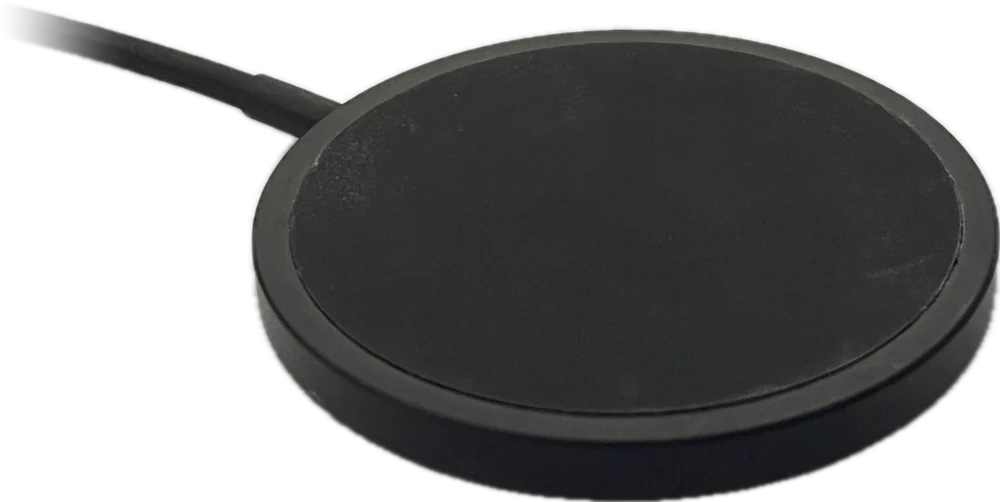
Plug in the charging pad
Connect the charging pad’s cable to a USB phone charger, then plug the charger into the wall. Put the pad on a flat surface.
-
 2
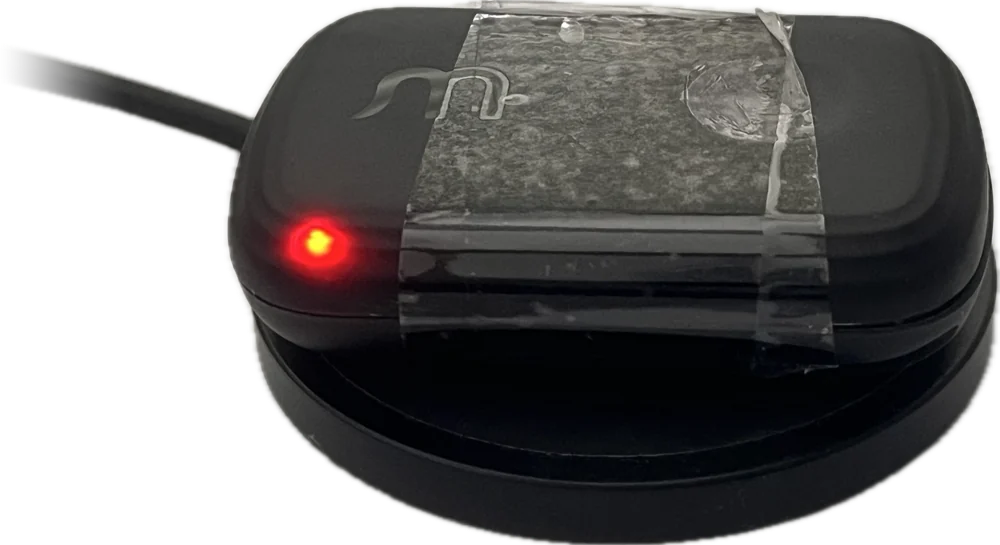
Place the tracker on the pad
Take the tracker off the collar and set it flat in the middle of the pad, with the Waggi logo facing up. The light on the front comes on to show it’s charging: red if the battery is low, amber if it already has some charge.
-
 3
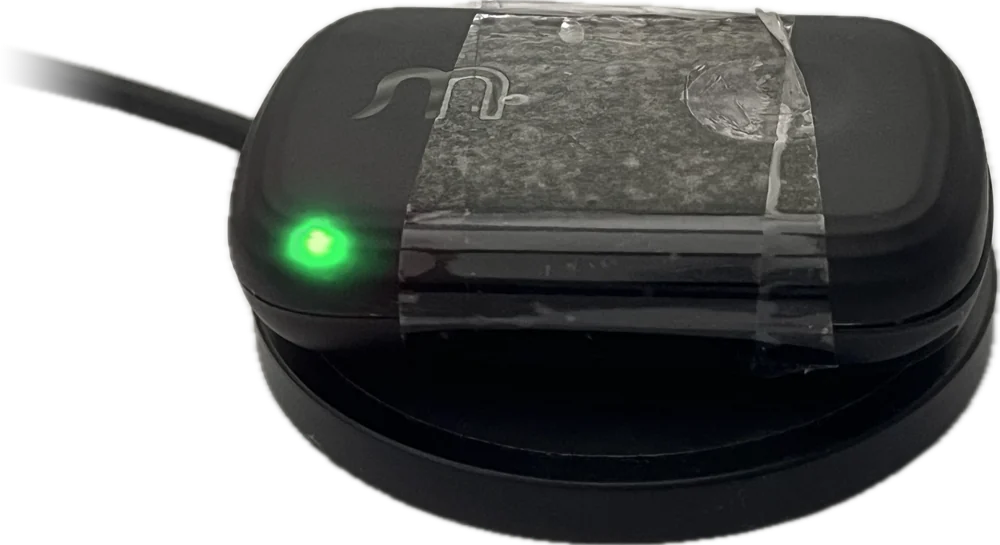
Wait for the light to turn green
Leave it on the pad. If the light is red, it turns amber as it charges, then green when it’s full. Then you can lift it off.
Step 2: Pair with the Waggi app
Create your account, allow the permissions the app asks for, then connect the tracker over Bluetooth.- Photo needed 1 Download the Waggi app Get the free Waggi app on the phone you’ll use most with your dog.
-
 2
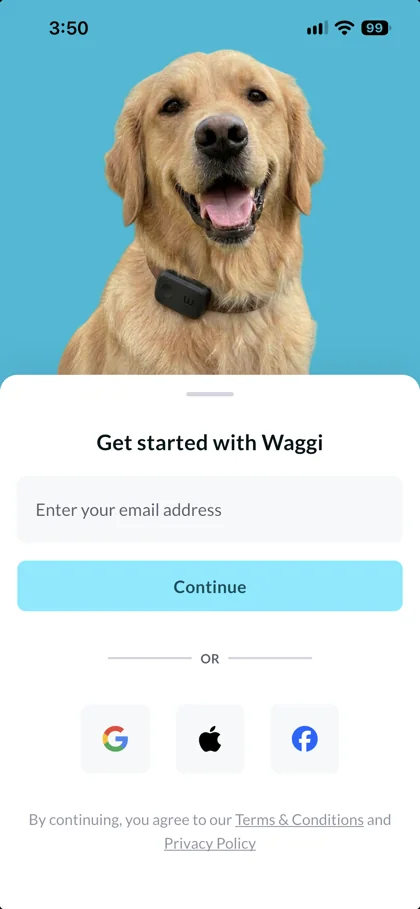
Create your account
On Get started with Waggi, enter your email and tap Continue, or use Google, Apple (on iPhone) or Facebook. With a new email, add your first and last name (your phone number is optional) and tap Next. Then type the four-digit code we email you and tap Verify.
-
 3
Allow location and Bluetooth
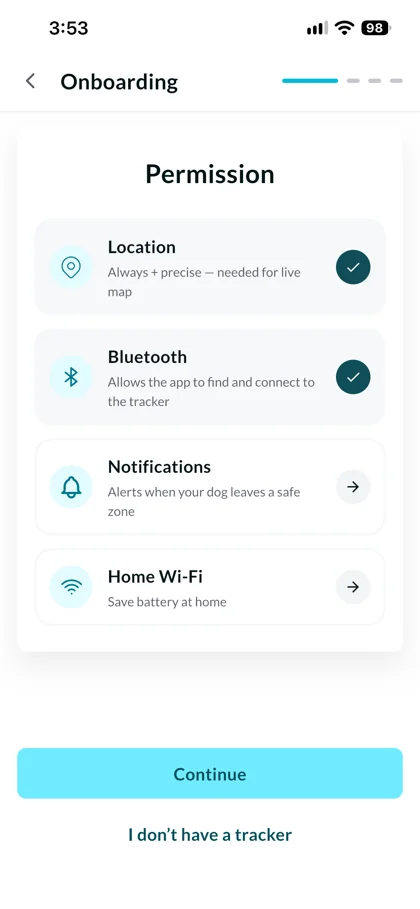
On the Permission screen, tap Location and choose Always, with precise location on, then tap Bluetooth and allow it. Each shows a tick once it’s allowed. Notifications and Home Wi-Fi are optional, so you can set them up later. Then tap Continue.
-
 4
Keep the tracker close to your phone
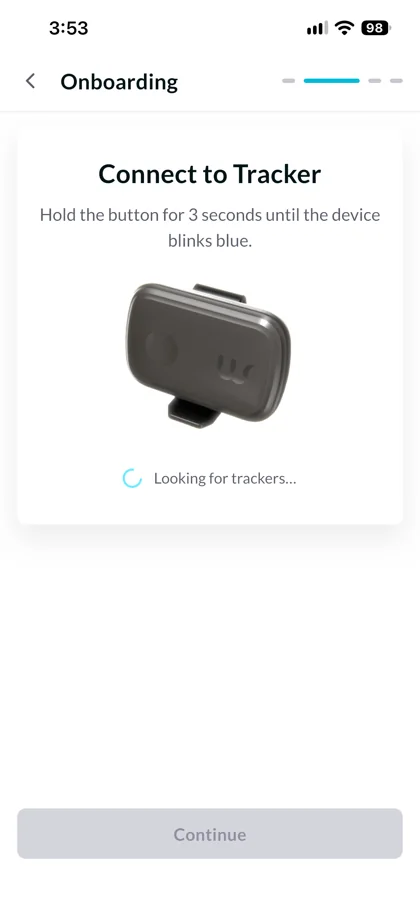
The app starts Looking for trackers… straight away. Keep the tracker within a metre of your phone. It can be found whenever it’s switched on, even on its charging pad, so there’s nothing to press. If it’s off, put it on its charging pad.
-
 5
Tap Continue when your tracker is found
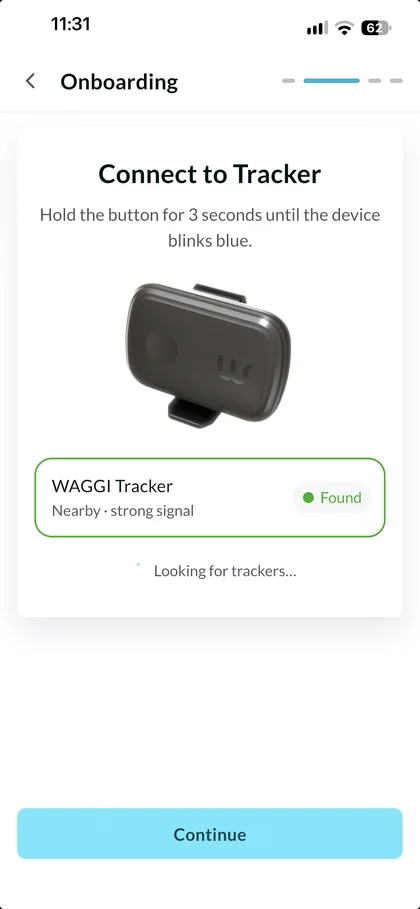
Your tracker appears as WAGGI Tracker, marked Found. If there’s more than one, tap yours. Tap Continue and wait while it says Pairing. When you see Connection successful, tap Done to set up your dog’s profile.
Step 3: Create your pet’s profile
Tell the app about your dog, so calories, distance and food guidance fit them.- Photo needed 1 Tap Done, then add a photo When the app says Connection successful, tap Done to open Tell us about your dog. Tap the camera circle, choose Take a photo or Choose photo, then crop it to a square. The photo is optional. If you tapped I don’t have a tracker, this screen opens straight after Permission.
- Photo needed 2 Add their name, breed and birthday Type your dog’s name in Pet Name. Tap Choose Breed and search for their breed, then tap Select Birthday and pick their date of birth. All three are needed. Then tap Continue.
- Photo needed 3 Choose gender, body condition and neutered status On Tell us more about, followed by your dog’s name, tap Male or Female. Under Body BCS, tap the number from 1 (Too thin) to 9 (Too heavy) that looks most like your dog; it starts at 5. For Neutered, Spayed / neutered is already chosen, so tap Not yet if they aren’t.
- Photo needed 4 Set their weight, then tap Continue Drag the Weight slider to your dog’s weight. It starts at 15 kg. To use pounds, tap LB. Then tap Continue. The app saves your dog’s profile and opens Set a safe zone, the last screen before “Welcome to Waggi”.
Step 4: Set a safe zone
Mark your home on the map, so you know if your dog leaves it.- Photo needed 1 Put your home in the circle On the Set a safe zone screen, the map starts where your phone is. Drag the map until your home sits in the middle of the circle, or tap Search Location and choose your address.
- Photo needed 2 Choose a size Tap 50 m, 75 m, 100 m or 200 m, or drag the Radius slider for a size in between, up to 200 m from its centre. It starts at 50 m. Check the circle takes in your home and garden.
- Photo needed 3 Save it, or skip for now Tap Save safe zone, and it’s saved as a virtual fence called Home. Or tap Skip for now to add one later. Either way, “Congratulations! Welcome to Waggi” appears: tap Go to Home to finish.
Step 5: Attach the tracker on the collar
A snug fit keeps the tracker in place and your dog’s activity readings accurate.- Photo needed 1 Attach the strap to the back of the tracker Turn the tracker over. Thread the strap through the slot on the back.
- Photo needed 2 Hold the tracker against the collar Place the tracker on the outside of the collar, Waggi logo facing out.
- Photo needed 3 Pass the strap under the collar Take the strap under the collar, between the collar and your dog. From the outside in, it goes tracker, collar, strap.
- Photo needed 4 Fasten the strap on the T-shaped stud Push the stud through a hole in the strap. Pull it snug so the tracker doesn’t slide or twist.
Keep exploring
Related Topics
Knowing your tracker
Every feature, from location to walks, and how each one works.
Explore features
 Troubleshooting
Tracker not working or charging, location, alerts, pairing, walks, phone settings and signing in.
117 articles
 Managing your account
Your tracker, your data and your account.
10 articles
Troubleshooting
Tracker not working or charging, location, alerts, pairing, walks, phone settings and signing in.
117 articles
Managing your account
Your tracker, your data and your account.
10 articles