At a glance
The Health tab shows how your dog’s been doing: a Wellness Score, how active they’ve been and how they’ve slept, for a day, a week or a month. It comes from what the tracker records all day, on walks and off them, so there’s nothing to start or stop.
The Home screen’s health card gives you this week’s score at a glance: tap it to open the Health tab. Health needs a paired tracker, and the more your dog wears it, the more there is to see.
What’s on the Health tab
Health is the fourth tab in the app. It opens on today. From top to bottom:
- Battery icon
- At the top right: the tracker’s battery level.
- Daily, Weekly and Monthly
- Choose how much time to look at: one day, a week from Monday to Sunday, or a calendar month.
- Dates
- On Daily, slide along the days and tap one. On Weekly and Monthly, use the arrows to go back or forward. You can go back to the day you paired your tracker.
- Wellness Score
- A score out of 100 for the time you’ve chosen, with a line about how your dog’s doing.
- Activity
- A graph of your dog’s active time, with their Calories, Steps and Active Duration.
- Rest/Sleep
- A chart of rest and sleep, with Rest Duration and Sleep Duration. On Daily, it also shows the night.
The Wellness Score
The Wellness Score brings activity and sleep together in one number out of 100. It’s based on how many steps your dog takes, and how their sleep compares with what’s typical for a dog their age, worked out from their birthday.
It’s for the day, week or month you’ve chosen. The health card on the Home screen always shows this week’s.
On the card
- “Bruno’s doing Great!”
- Your dog’s been especially active and well rested.
- “Bruno’s doing Ok!”
- A typical mix of activity and sleep.
- “Bruno’s not doing too well!”
- Activity or sleep has been low. A quiet day now and then is normal. If it stays low without a clear reason, talk to your vet.
- Activity and Sleep
- How long your dog was active and asleep in that time, in hours and minutes (hh:mm). The colour of each shows how that part is going: green is good, amber is middling, red is low.
- A dash instead of a score
- There isn’t enough data yet. On Weekly and Monthly, a line like “3 of 7 days recorded” counts the days so far: the score appears once about half of them are recorded. On Daily, it appears after a few hours.
Activity
The Activity card shows when your dog was active. On Daily, each bar is an hour, measured in minutes. On Weekly and Monthly, each bar is a day. Tap a bar to see its time.
Above the graph, a line sums it up: your dog is “really active”, “maintaining a good balance” or “taking it slow” today, this week or this month.
Under the graph
- Calories
- The calories your dog burned, worked out from their movement and their weight. Keep their weight up to date in their profile.
- Steps
- Every step the tracker counted, all day: walks, play in the garden and trips round the house.
- Active Duration
- How long your dog was up and moving.
Rest and sleep
The Rest/Sleep card shows how your dog spent their downtime. Sleep is deep sleep. Rest is lighter: lying down or dozing. Each bar shows both, and the line above it says whether your dog “slept soundly” or “slept restlessly”.
Under the chart, Rest Duration and Sleep Duration add up the time you’ve chosen.
Overnight Sleep, on Daily
- The timeline
- One bar from 8pm the evening before to 8am on the day you’ve chosen, coloured for sleep and rest. Touch and hold a coloured part to see when it started and ended.
- Grey parts
- No sleep or rest recorded: your dog was up and about, the tracker missed that time, or the night hasn’t got there yet.
- Interruptions
- How many times your dog woke after a stretch of sleep during the night.
- Overnight Sleep Duration
- How long they slept between 8pm and 8am.
The info buttons
Each card has an ⓘ button next to its title. Tap it for a short explanation of that card, in four parts.
- How it’s calculated
- What the numbers are based on.
- Why it’s useful
- What it can tell you, like whether a change of routine is helping.
- What counts as Ok
- What a typical day or night looks like.
- How to react if it stays low
- What to try, and when to talk to your vet.
Different situations
- The Health tab says Pair your tracker
- Health needs a tracker. Tap Pair Device to connect one. The health card on the Home screen appears once it’s paired too.
- You’ve just paired the tracker
- Today’s cards fill in over the first few hours. Weekly and Monthly show a dash with a count of the days recorded until about half of them are.
- The score on Home is different from the Health tab
- Home always shows this week. The Health tab opens on today: tap Weekly to see the same score.
- The Rest/Sleep card is empty in the morning
- It fills in once the tracker has recorded a night. Keep it on your dog overnight.
- You charged the tracker overnight
- The Overnight Sleep timeline shows your dog’s night only while they’re wearing the tracker. To see their sleep, charge it at another time of day.
- Steps on Health are higher than on your walks
- Health counts every step all day. A walk counts only the steps between starting and stopping it.
- Calories look too high or too low
- They’re worked out from your dog’s weight. Check it’s right on the Profile tab.
- You can’t pick a day
- Days after today can’t be chosen, and the dates start from the day you paired your tracker.
- A message shows instead of the cards
- The app couldn’t load your dog’s data. Check your phone is online, then open the tab again.
Frequently asked questions
Reading the Health tab
What does the Wellness Score mean?
It’s a score out of 100 for the day, week or month you’ve chosen, based on your dog’s steps and how their sleep compares with what’s typical for their age. “Doing Great” means especially active and well rested, “doing Ok” a typical mix, and “not doing too well” that activity or sleep has been low.
How do I see my dog’s week or month?
On the Health tab, tap Weekly or Monthly at the top, then use the arrows to go back or forward. Daily shows one day: slide along the dates and tap one.
What’s the difference between rest and sleep?
Sleep is your dog’s deep sleep. Rest is lighter downtime, like lying down or dozing. The Rest/Sleep card shows both, with how long your dog spent in each.
What are interruptions?
How many times your dog woke after a stretch of sleep during the night. You’ll find them under the Overnight Sleep timeline on the Daily tab.
Does Health count steps when I’m not on a walk?
Yes. The tracker counts steps all day, so Health includes walks, play and everything in between. A walk’s own summary counts only the steps during that walk.
What Health needs
Do I need the tracker for Health?
Yes. Health comes from what the tracker records, so the tab asks you to pair one first. Keep it on your dog day and night for the fullest picture.
How long until I see a Wellness Score?
For a day, a few hours of wearing the tracker. For a week or a month, about half the days need to be recorded: the card counts them, for example “3 of 7 days recorded”.
Does my dog’s weight change their health numbers?
Weight sets the calories on the Activity card. It doesn’t change the Wellness Score, which comes from steps and sleep, with their age setting what’s typical. Keep both their weight and birthday up to date on the Profile tab.
Keep exploring
Related Topics
-
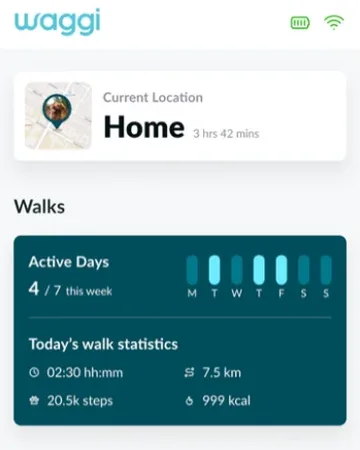 The Home screenYour dog at a glance: where they are, today’s walks and their health.
-
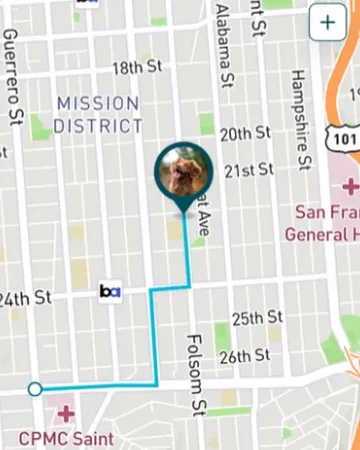 WalksRecord walks and see steps, distance and calories for each one.
-
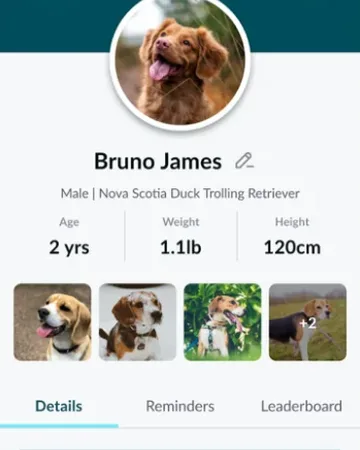 Pet profileYour dog’s photo and details. Their weight and height set calories and distance.
-
 Battery and chargingHow long a charge lasts, and how to charge it.
- Data and analyticsHow the tracker’s readings become activity, sleep and behaviour insights.