At a glance
The tracker stays in touch in two ways. Its own mobile connection sends your dog’s location and alerts to Waggi from wherever they are. Bluetooth links it to your phone when you’re close, for setup, walks and charging.
So you don’t need to be near your dog to see where they are. When you’re together, Bluetooth adds the details, and the app reconnects by itself whenever you’re back in range.
Two connections
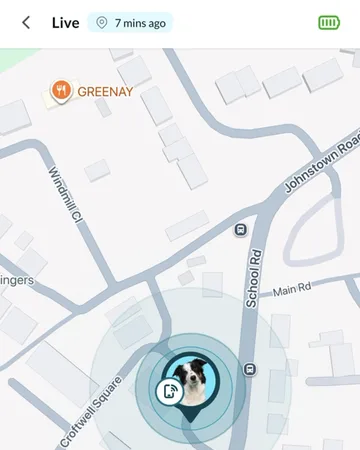
Your dog’s location doesn’t travel over Bluetooth. It goes from the tracker to Waggi over the mobile network, then to the app over your phone’s internet.
- The tracker’s mobile connection
- The tracker has its own SIM and uses a low-power mobile network to send its location, battery level and alerts to Waggi. It works wherever there’s mobile coverage, with or without your phone.
- Bluetooth
- A short-range link between the tracker and the Waggi app on your phone, used when you’re close together.
- Your phone’s internet
- The app gets your dog’s location and alerts from Waggi over your phone’s mobile data or Wi-Fi, from anywhere.
What Bluetooth is for
Bluetooth only reaches a short distance, so the tracker disconnects from your phone when you and your dog are apart. That’s normal. Location, Live mode, virtual fence alerts and battery alerts keep coming over the tracker’s own mobile connection.
What needs Bluetooth
- Pairing
- Setting up the tracker happens over Bluetooth, with the tracker close to your phone. Pairing also gives the tracker what it needs to reach Waggi on its own.
- Steps and calories on walks
- The tracker sends your dog’s steps to your phone during a walk. Without Bluetooth, the walk still records the time, distance and route.
- Charging status
- Charging, or Fully Charged at 100%, shows only while your phone is connected. The battery level also refreshes as soon as they connect.
- Tracker updates
- A new tracker update installs over Bluetooth, so keep your phone next to the tracker.
- Location help indoors
- While connected, your phone can fill in your dog’s location when the tracker can’t. See the next section.
Your phone helps with location
While Waggi is open on your phone and connected to the tracker over Bluetooth, your phone can stand in for the tracker. If the tracker hasn’t sent a location of its own for a while, for example indoors where GPS is weak, the app sends your phone’s location instead, because the two are close together.
It only does this while the app is open on screen, never during a walk, and only when your phone knows its position accurately. The map shows it like any other update, and it counts for virtual fence alerts too.
Connection in Tracker Settings
Go to Settings, then Tracker Settings. The Connection card at the top shows the Bluetooth link between your phone and the tracker.
- Connected or Disconnected
- Whether your phone is connected to the tracker over Bluetooth right now. Disconnected doesn’t mean the tracker is offline: it can still send its location over its mobile connection.
- [Name]’s Tracker
- Your dog’s name and Tracker, as on screen, with the tracker’s ID underneath.
- Battery
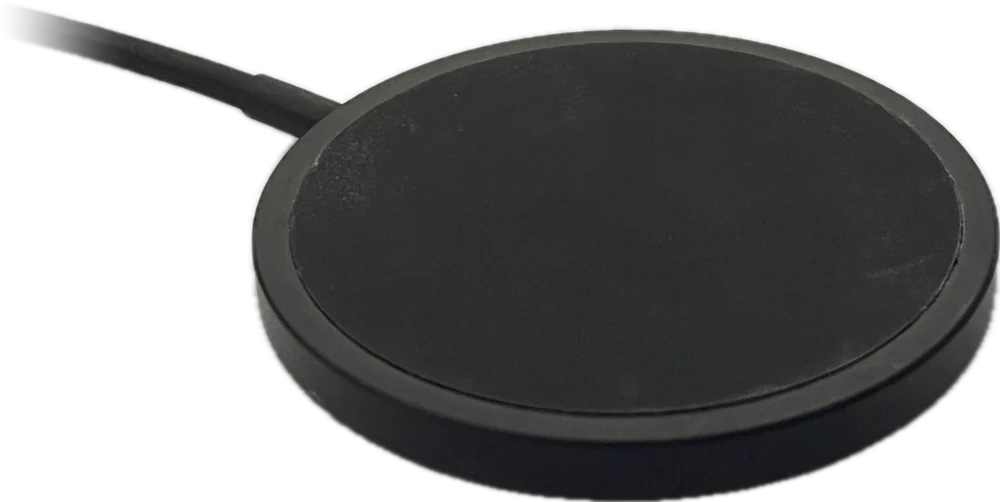
- The battery level. While connected and on the charging pad, it also says Charging, or Fully Charged at 100%.
- Last update
- How long ago the app last had a battery reading, over Bluetooth or the tracker’s mobile connection. It isn’t the location time: that’s next to Location on the Location tab.
- Connect or Disconnect
- Connect asks your phone to connect now. While it tries, the button shows Connecting with a 30-second countdown. Disconnect ends the Bluetooth link until you tap Connect or reopen the app. It doesn’t remove the tracker from your account.
Good to know
- One phone at a time
- The tracker connects to one phone at a time over Bluetooth. If Waggi is on another phone nearby, that phone may connect first, even with the app in the background: turn off Bluetooth on that phone, or close Waggi there completely. Every phone signed in to your account still sees your dog’s location and gets alerts over the internet.
- It reconnects by itself
- When you’re back in range, or open the app, it reconnects without you doing anything.
- Permissions
- Waggi needs Bluetooth on, and permission to use it. On Android it also needs location permission to connect. If one is missing, the app says which one to turn on.
- On Android
- A notification, “Waggi app service running”, shows while the app keeps the Bluetooth connection going in the background. Leave it there.
- No Wi-Fi needed
- The tracker doesn’t join Wi-Fi to stay in touch. Saving your home Wi-Fi gets it ready for a future update: see Home Wi-Fi.
Different situations
- You and your dog are apart
- Bluetooth disconnects, which is normal. Your dog’s location and alerts keep coming over the tracker’s mobile connection, and the app reconnects when you’re close again.
- Your phone’s Bluetooth is off
- The tracker keeps sending its location and alerts. Walks record without steps, charging status doesn’t show, and updates can’t install until you turn Bluetooth back on.
- There’s no mobile coverage where your dog is
- The tracker can’t send its location or alerts until it’s back in coverage. The map keeps the last location and its time. If you’re with your dog and your phone has signal, keep Waggi open so your phone can fill in.
- Your phone is offline
- The app shows the last location it had. The tracker keeps sending to Waggi, and the app catches up once your phone is back online.
- Tracker Settings says Disconnected with the tracker right next to you
- Check Bluetooth is on and the tracker is charged. If Waggi is on another phone nearby, turn off Bluetooth on that phone, or close Waggi there completely. Then tap Connect. If it says Connection Failed, read the message under it, or follow “The app can’t find my tracker”, under Troubleshooting.
- The location has stopped updating
- Follow “Location isn’t updating”, under Troubleshooting. It checks when it last updated, the tracker’s charge and signal, then sends a fresh location.
Try it out
Frequently asked questions
Bluetooth and your phone
Does the tracker need my phone nearby?
No. The tracker sends your dog’s location and alerts to Waggi over its own mobile connection, so you can see them from anywhere. Your phone only needs to be close for pairing, steps on walks, charging status and tracker updates.
Do I need to keep Bluetooth on?
Keep it on if you can. Waggi uses it for pairing, steps and calories on walks, charging status and tracker updates, and your phone can help with location while connected. Your dog’s location and alerts don’t depend on it.
Can more than one phone connect to the tracker?
Over Bluetooth, one phone at a time. Waggi keeps its Bluetooth link going in the background, so if it’s on another phone nearby, turn off Bluetooth on that phone, or close Waggi there completely, so yours can connect. Every phone signed in to your account still sees your dog’s location and gets alerts, over the internet.
Why does Tracker Settings say Disconnected?
It’s about Bluetooth only: your phone isn’t connected to the tracker right now, usually because you’re apart. The tracker still sends its location over its own connection. To connect, get close, check Bluetooth is on and tap Connect. Still not connecting? Follow “The app can’t find my tracker”, under Troubleshooting.
What does Last update mean in Tracker Settings?
How long ago the app last had a battery reading from the tracker, over Bluetooth or its mobile connection. It isn’t when the location last updated: you’ll find that next to Location on the Location tab.
Does Waggi use my phone’s location?
Sometimes. While the app is open and connected to the tracker over Bluetooth, your phone can stand in for the tracker if it hasn’t sent a location for a while, for example indoors. It’s never used during a walk, and it counts for virtual fence alerts too.
The tracker’s mobile connection
Does the tracker have a SIM card?
Yes. The tracker has its own SIM and uses a low-power mobile network to reach Waggi, so it doesn’t use your phone’s data or your Wi-Fi.
What happens when there’s no mobile coverage?
The tracker can’t send its location or alerts until it’s back in coverage, and then it sends again. Meanwhile, the map shows the last location and how long ago it was. If the time keeps growing, follow “Location isn’t updating”, under Troubleshooting.
Does the tracker use my phone’s data or Wi-Fi?
No. It uses its own mobile connection. Your phone uses its data or Wi-Fi only to run the app, and to send your phone’s location when it stands in for the tracker.