Welcome back. You were on step .
-
Step 1: Try a restart before anything else
Restart the tracker if it’s charged but its location hasn’t updated for hours, a button press doesn’t send an update, or, while pairing, the app says the setup could not finish and asks you to restart the tracker. Restarting doesn’t unpair it or change anything in the app. If it won’t turn on or charge at all, start with the charging checks instead.
-
Step 2: Hold the button for 3 seconds
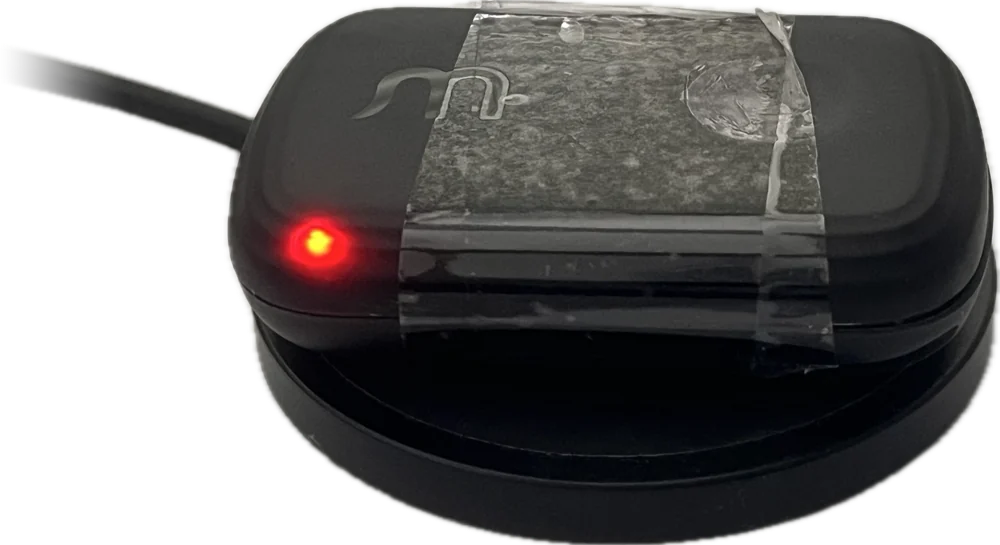
Take the tracker off its charging pad. Hold the button for 3 seconds, until the light turns solid red and goes out. The tracker is now off.
Photo needed: A hand holding the tracker off the pad, thumb on the button, the light solid redThe light went red, then came back on?
The tracker was still on the charging pad. The pad keeps it powered, so it restarts instead of turning off. That’s fine as a restart. To turn it off, take it off the pad and hold the button again.
-
Step 3: Put it on the pad to turn it back on
Set the tracker flat in the middle of the charging pad. The light comes on red, amber or green to show it’s charging, and the tracker starts up again. After a few minutes, check the app shows a new location.
TipAlready on the pad? Holding the button for 3 seconds restarts it in one go. The light turns solid red and goes out for a moment, then the charging colour comes back.
Still not working after a restart?
Contact support and we’ll help. Don’t use Factory Reset: it unpairs the tracker and only support can pair it again.
Frequently asked questions
My tracker isn’t working. What should I check?
Put it on its charging pad: the light should come on within a few seconds, red or amber while it charges. Leave it to charge, then check the app: your dog’s location card shows when the tracker last sent its location. If the light never comes on, follow the guide “The tracker won’t turn on or charge”, above. If it charges but the app shows no updates, see “Location and Live mode”, above.
I can’t see the light on my tracker. Is it working?
Usually, yes. The light stays off most of the time. It only comes on while the tracker is charging (red, amber or green), green for 3 seconds when it turns on off the pad, flashing blue while Live mode is on, and solid red when you hold the button to turn it off. To check it’s working, open the app and see when its location last updated, or press the button once to send a fresh location.
The tracker isn’t charging, or there’s no light on the pad. What should I do?
Set it flat in the middle of the pad, Waggi logo up, and check the charger is switched on at the wall. The light should come on within a few seconds: red if the battery is low, amber if it has some charge. No light at all? Follow the guide “The tracker won’t turn on or charge”, above.
My tracker turned off by itself. Why?
The battery ran too low, so the tracker switched itself off to protect it. This happens without the red light. Put it on its charging pad: it starts up again and the light shows it’s charging.
My tracker got wet and now won’t charge.
Take it off the pad and unplug the pad. Dry the tracker, especially its underside, and the top of the pad with a soft cloth, then leave them both to air-dry at room temperature. Don’t use a hairdryer or a radiator. Then set the tracker flat in the middle of the pad again. If no light comes on, follow the guide “The tracker won’t turn on or charge”, above. If it still won’t charge, contact support. Water and care has more on keeping it dry.
I held the button but the tracker didn’t turn off. Why?
It was probably on the charging pad, which keeps it powered, so it restarted instead. Take it off the pad first. The guide “Reset the tracker” shows each step.
What does Factory Reset (Developer) do?
Don’t use this option. It makes the tracker forget your account, drops any locations it hasn’t sent yet, clears what it learned about the Wi-Fi around your fences, and restarts it. The app and our servers still list the tracker, so only support can pair it again. The option is being removed from the app. If the tracker isn’t working, restart it instead: see “Reset the tracker”, above.
Why am I not getting low-battery alerts?
Check Battery is switched on: in the app, go to Settings, then Notifications. Check your phone allows notifications from Waggi too. Alerts don’t come while the tracker is charging, and it needs mobile coverage to send its battery level.
Why is there a question mark on the battery icon?
The app hasn’t had a battery reading for over an hour, and your phone isn’t connected to the tracker over Bluetooth. Open the app near the tracker so they connect, or check it’s charged and has mobile coverage.
The tracker is on the pad, but the app doesn’t say Charging. Is it charging?
The app only shows Charging while your phone is connected to the tracker over Bluetooth. Check the light on the tracker instead: red, amber or green means it’s charging.
Why does the battery drain quickly?
Live mode uses the most power, so check it wasn’t left on. After that comes time on the move: the tracker checks in more often while your dog is moving than while they’re resting, so a busy day uses more. Battery and charging explains what else affects battery life.
What does a red light mean?
On the charging pad, red means it’s charging and the battery is low. Off the pad, a solid red light means the tracker is turning off.